A framework that developers could integrate to process documents for AI applications.
How could a developer understand the output before setting up a production workflow?
A managed experience for testing files, organising work and seeing system activity.
The engine worked. The journey needed designing.
Kreuzberg began as an open-source document intelligence framework. Developers could integrate the engine themselves. As we shaped a managed Cloud product, I focused on the steps around that engine: how someone tries it, understands the result and starts organising real work.
As co-founder, product lead and designer, I worked with engineering across product direction and interface design. The goal was to make the technical capabilities approachable while keeping the underlying system understandable to the people building with it.
These product images show the Kreuzberg Cloud interface from that period. The product is now called X-Berg.
Give developers something to inspect.
I placed a file sandbox at the start of the experience. A developer could upload a document and inspect the extracted Markdown output before creating an API key or configuring a webhook. The decision was about showing value quickly: a developer could judge the extraction on a real file before spending time on integration.
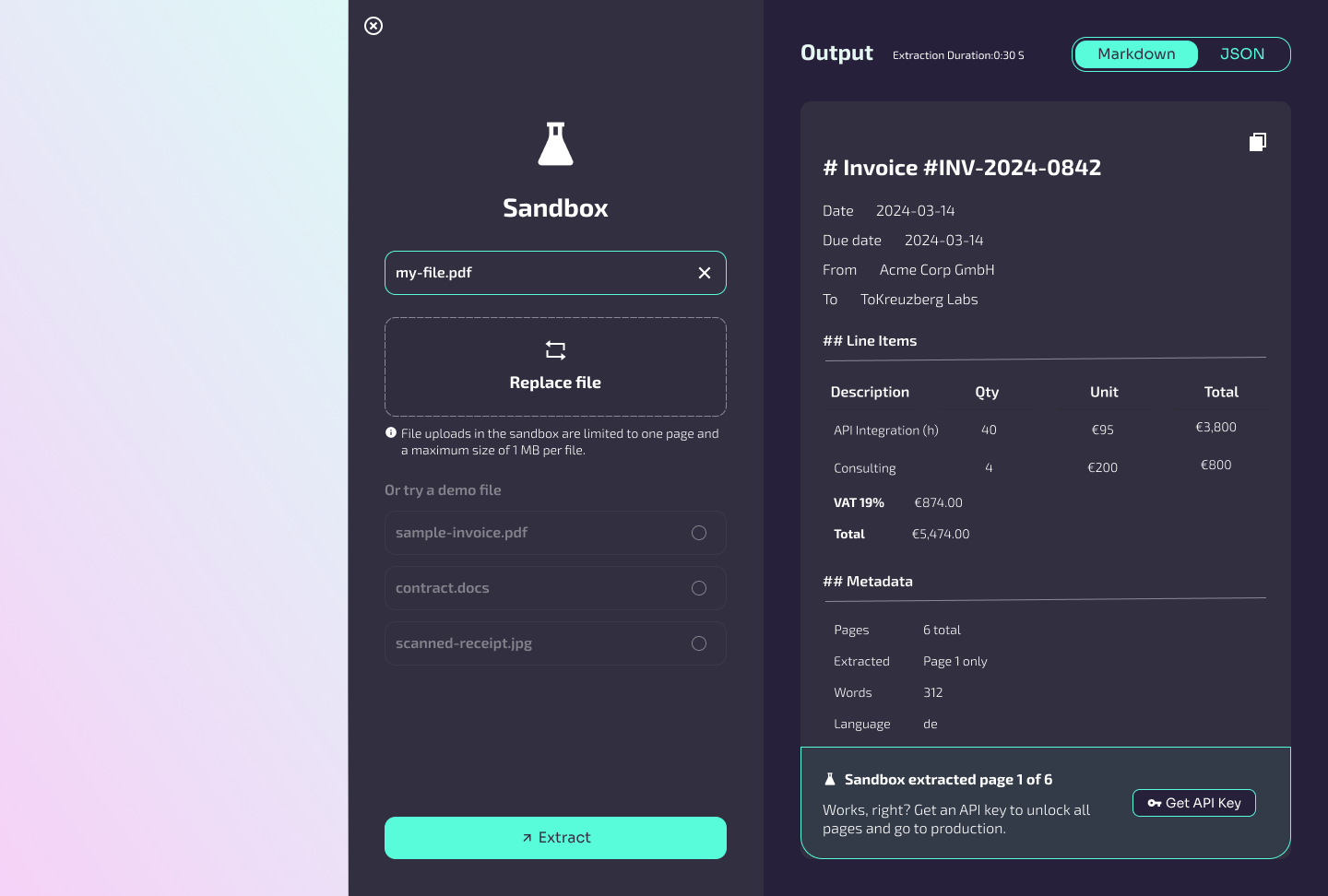
Try a file
Start with a concrete result that a developer can judge for their own use case.
Make the next action clear
Introduce credentials and webhooks when the developer is ready to connect a workflow.
Show the system
Keep output, status and activity visible as the work grows more complex.
From one experiment to organised work.
The dashboard connected the first file test with usage, API keys and webhook status. Projects gave teams a way to separate their work and see activity in context. I designed these views as the next steps in the same journey, so moving into Cloud did not mean learning the product again.
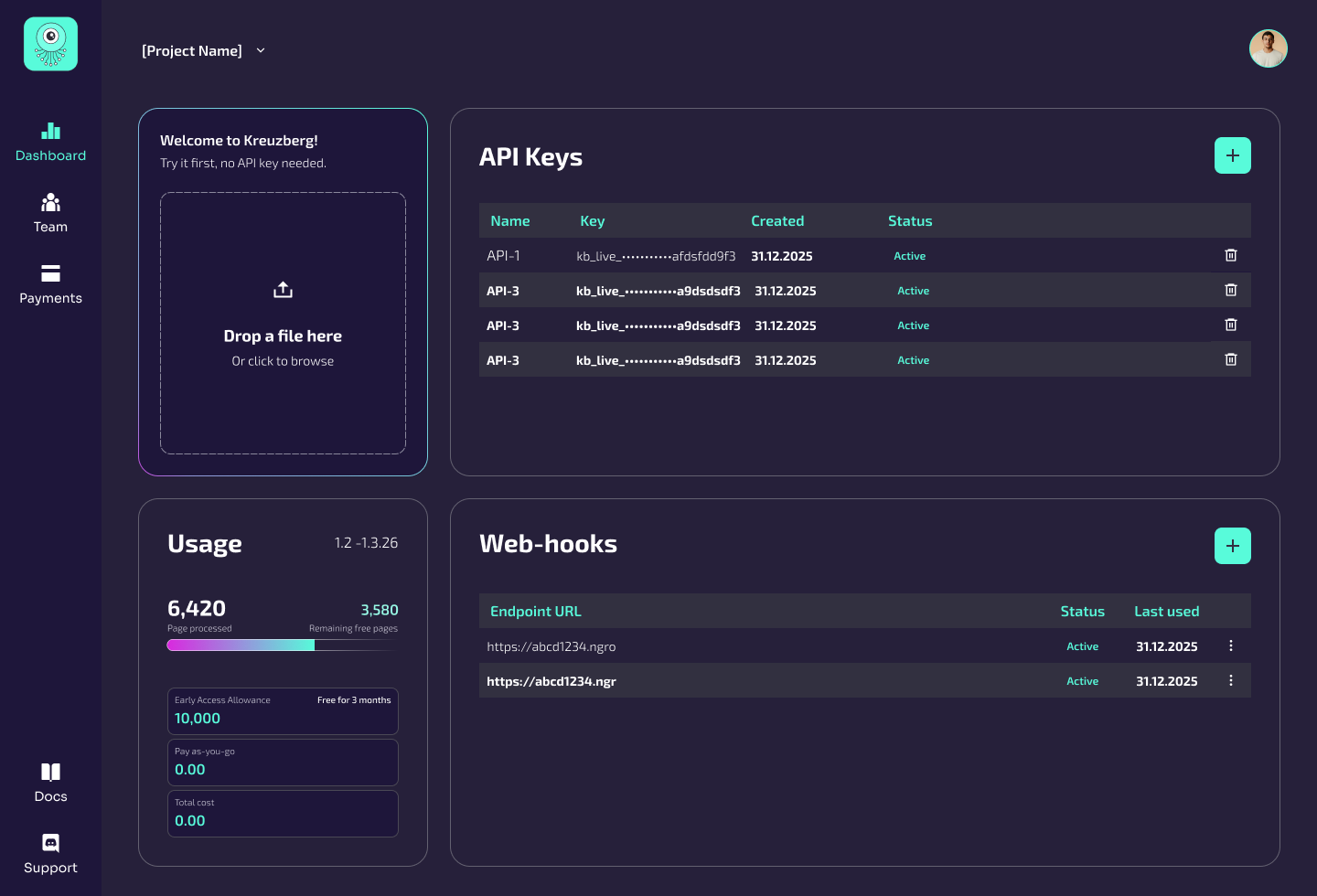
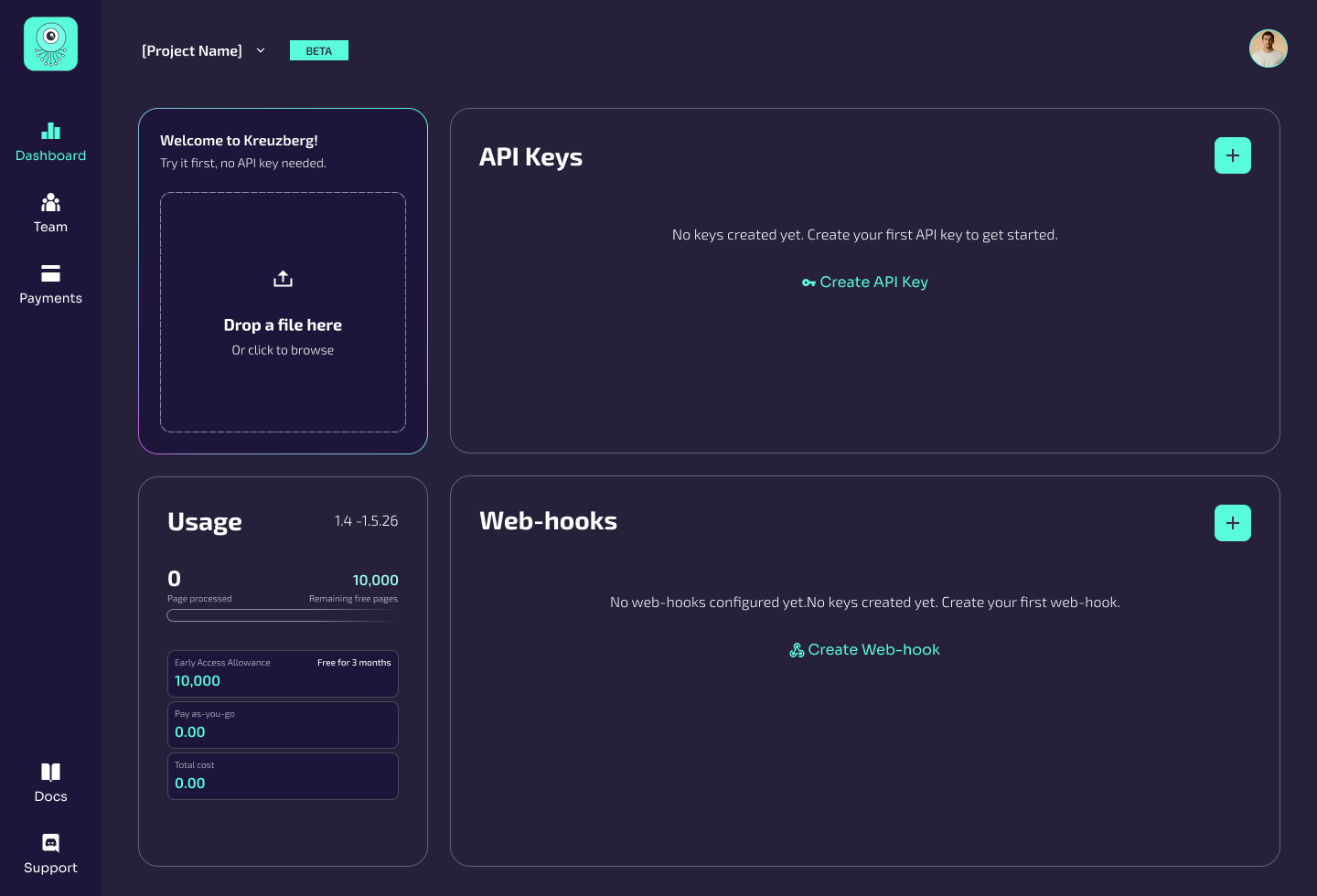
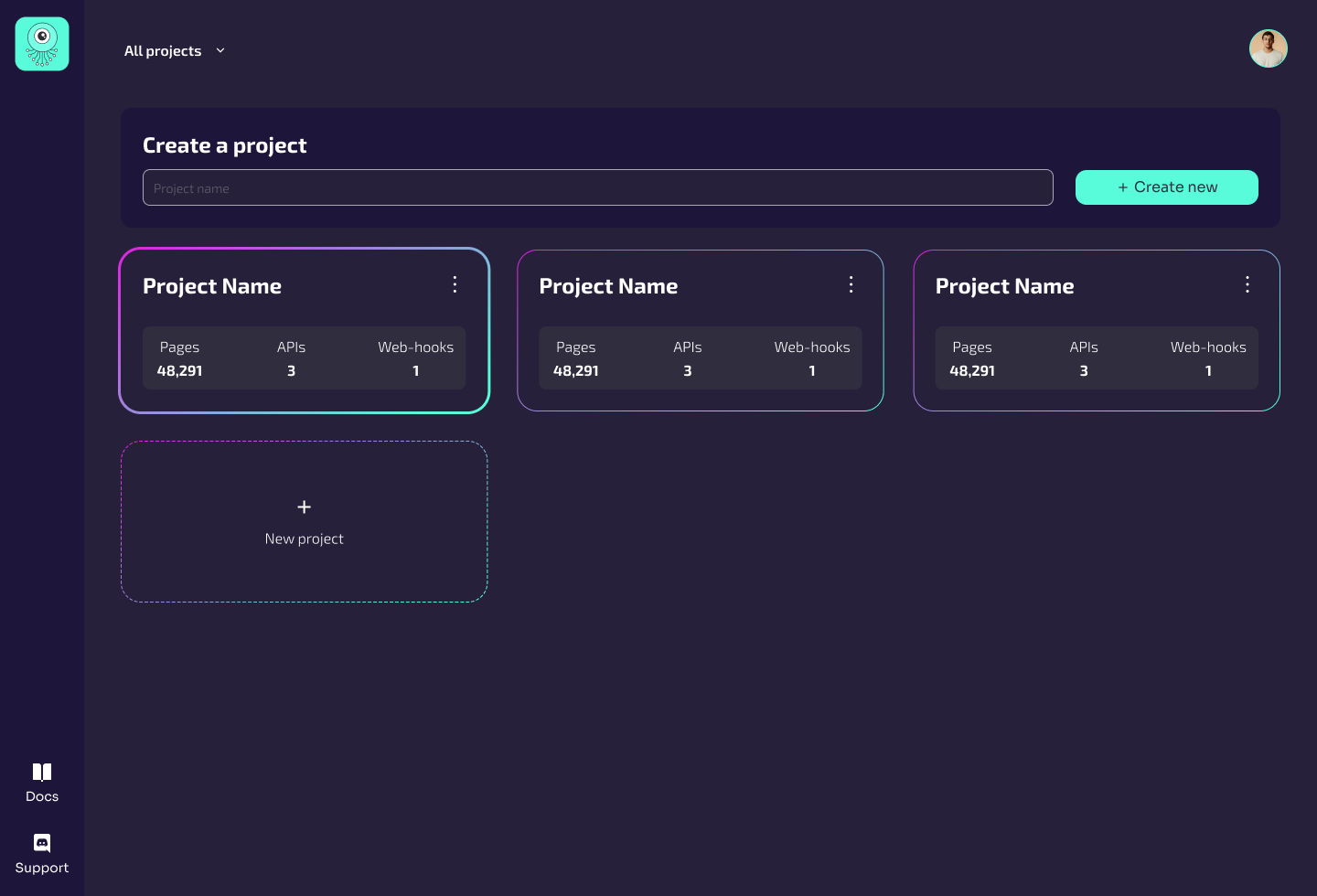
Connect discovery to use.
The open-source framework, website and Cloud product were different ways into the same system. I worked across their product communication and interface design to help developers understand the engine, test it and find the next step that fit their work.
- 01Discover
- 02Test
- 03Connect
- 04Organise
A Cloud product in active beta.
Kreuzberg Cloud reached an active beta with a connected path from a first file test to projects and production-oriented setup. The work joined product direction, developer experience and UI into one experience that teams could start using and evaluating.
The lesson I carry from it is simple: developers need to understand what a system did before they can trust it with more of their workflow.